DocShot
Local-first macOS capture for screenshots, recordings and lightweight annotation
what it proves
Proves native macOS product delivery where privacy is a construction constraint, not a policy line: explicit output decisions, cleanup on every exit path, bounded exports and a dual SwiftPM and Xcode test path kept in parity -- with the distribution gap named rather than hidden.
A local-first macOS capture utility for screenshots, screen recordings and lightweight annotation, built to remove the accounts, cloud and history-library overhead of existing options. Privacy holds by construction rather than policy: no output exists until an explicit Copy or Save, temporary recordings are removed on cancel, discard, failure, quit and next-launch cleanup, and there are no accounts, cloud upload, history library or analytics at any point. It currently ships as a signed Apple Development build for local testers and is not notarised or publicly distributed.
the journey
01 · where it started
Existing macOS-adjacent screenshot tools force a trade-off. Lightshot's edit-in-place flow is fast but ageing and screenshot-only, ShareX has excellent window-aware selection but is Windows-only, and CleanShot X is a strong macOS-native option but paid and heavier than a five-second capture job needs. Nothing sat in the gap: fast, native, local-only and honest about not phoning home.
02 · the challenge
Privacy had to hold by construction rather than policy: no output before an explicit Copy or Save, temporary recordings cleaned up on cancel, discard, failure, quit and next launch, audio strictly opt-in per recording, and a post-stop editor that renders a separate output while leaving the original file untouched.
03 · what changed
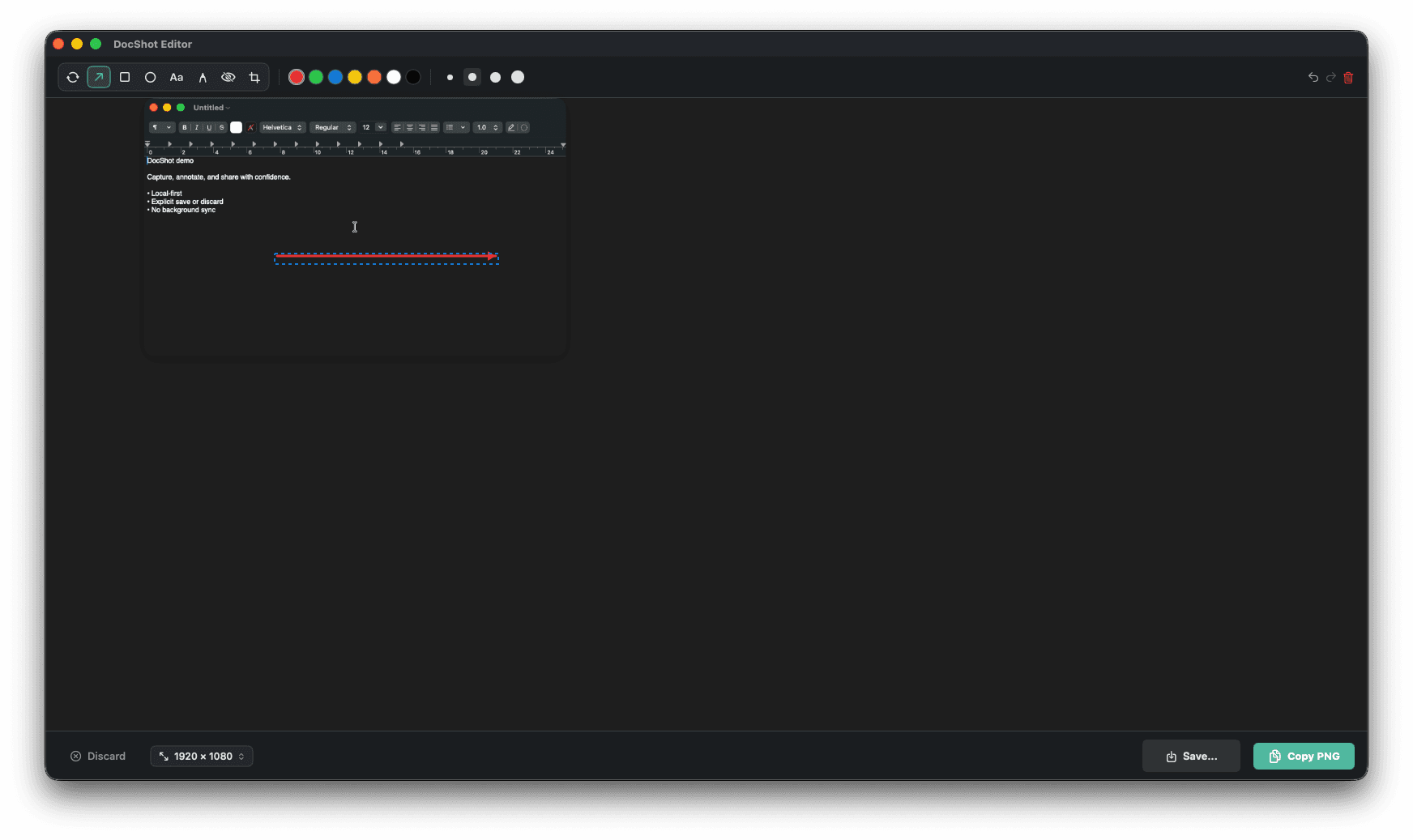
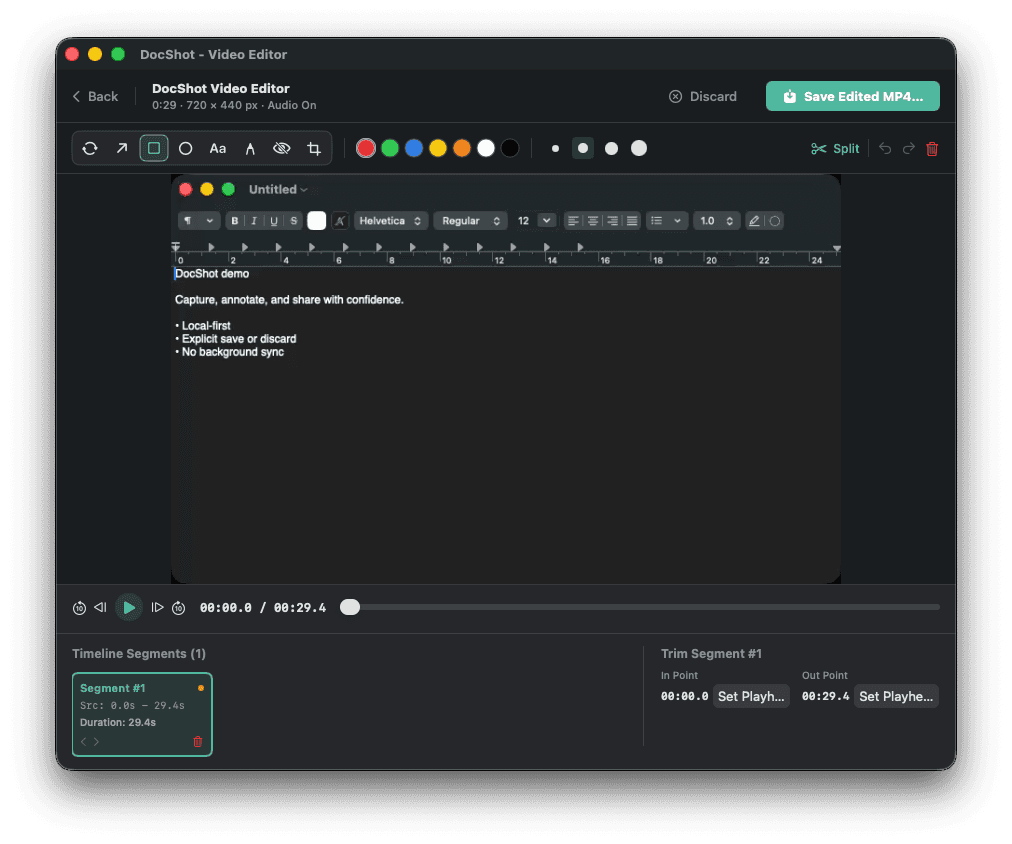
The build now covers screenshot capture with automatic window detection or a precise region drag feeding a full annotation canvas, screen recording to local H.264 MP4, bounded GIF export for short clips with an MP4 fallback above the threshold, and a video editor for trimming, splitting and annotating completed recordings. It is native macOS throughout: no Electron, no web view, no backend.
04 · where it stands
A signed Apple Development build, packaged as a drag-to-Applications DMG or ZIP for local testers. It is explicitly not notarised and not publicly distributed: recipients see macOS's unsigned-app warning and need Finder's Open override. That is a known, named gap, not an oversight.
proof points
- Screenshot capture with automatic window detection or a precise region drag, then an annotation canvas (arrows, shapes, text, blur and pixelate redaction, crop) before any output decision
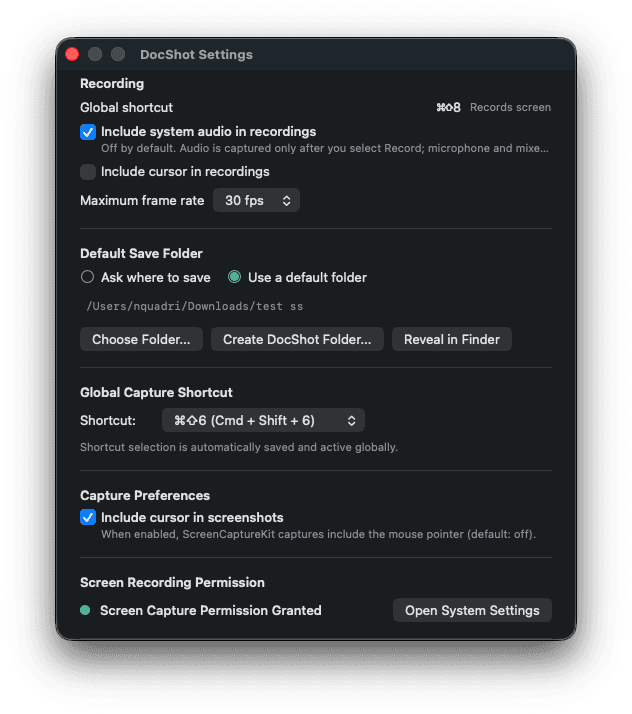
- Screen recording to local H.264 MP4 with audio off by default and opt-in per recording; GIF export is bounded to 15 seconds with frame-rate and size limits, falling back to MP4
- Temporary media is removed on cancel, discard, failure, quit and next-launch cleanup; no accounts, cloud upload, history library or analytics at any point
- The same test suite runs through both SwiftPM and Xcode, with a parity audit script (Scripts/audit-test-parity.sh) checking neither path silently drifts from the other
- Test coverage targets the recording state machine, cleanup paths, audio permission policy, export size and frame bounds and editor trim and split timing, not just UI happy-path clicks
product screenshots
skills demonstrated
tech stack
engineering hygiene
- ✓ readme
- ✓ docs
- ✓ tests
- ✗ ci
- ✗ docker
Known gaps: ci, docker. Next step: notarise the build for public distribution and add CI so the dual test paths run on every push.
where to see it
Public repository. Read it directly: github.com/noel-q/docshot